Cheap Gaming PCs Usually Become Expensive Within Two Years
A lot of people build or buy budget gaming PCs thinking they found the smartest possible deal.
At first, it genuinely feels that way. Someone sees a setup online promising “high FPS gaming” for half the price of premium systems and decides spending more would be unnecessary. The RGB lights look good, benchmark videos seem convincing, and the machine appears strong enough for modern games.
Then the compromises slowly begin showing up.
Frame drops become normal, storage fills instantly, temperatures climb higher than expected, and newer games start demanding settings reductions much earlier than buyers anticipated. What looked like a money-saving decision starts creating upgrade pressure surprisingly fast.
That cycle repeats constantly in the PC market because many low-budget gaming systems are optimized to look powerful during purchase instead of remaining balanced long-term.
The cheapest components usually age the fastest
One of the most common mistakes in budget PC building is overspending on the visible parts while cutting corners everywhere else.
A buyer may focus heavily on the graphics card because benchmark numbers dominate YouTube thumbnails and advertisements. To afford that GPU, compromises happen quietly in areas that seem less exciting:
- Weak power supplies
- Single-stick RAM setups
- Cheap motherboards
- Low airflow cases
- Tiny SSDs
- Weak CPU coolers
At first, the system still works.
The problem appears months later when upgrades become harder or reliability begins declining.
A low-quality power supply might struggle during gaming spikes. A cheap motherboard may limit future CPU upgrades. A tiny 500GB SSD fills rapidly once modern games start consuming 120GB to 200GB each.
People often underestimate how quickly modern gaming setups become storage-heavy.
A system with:
- Call of Duty
- Red Dead Redemption 2
- Forza Horizon
- Baldur’s Gate 3
- Windows updates
- Recording software
can exceed 700GB surprisingly fast.
That leads to constant uninstalling, external storage purchases, or expensive upgrades earlier than expected.
Budget GPUs create hidden upgrade chains
A lot of buyers believe upgrading the graphics card later will solve everything.
Sometimes it does.
Often it creates another problem instead.
A person who originally purchased a low-end gaming PC may later upgrade to a stronger GPU and suddenly discover new bottlenecks everywhere else.
The power supply cannot handle the upgrade.
The processor starts limiting performance.
The cooling system becomes insufficient.
The case airflow struggles with higher temperatures.
One GPU upgrade can quietly turn into a full-system rebuild.
This is especially common with entry-level prebuilt systems designed around extremely tight cost margins. Many manufacturers intentionally pair components just strong enough for the original hardware configuration without leaving room for meaningful future upgrades.
That creates frustration because buyers thought they were building a long-term platform.
Instead, they bought a temporary setup disguised as an upgradeable machine.
Cheap cooling causes performance problems people misdiagnose
A lot of inexperienced PC users blame games when performance starts feeling inconsistent.
The real issue is often temperature.
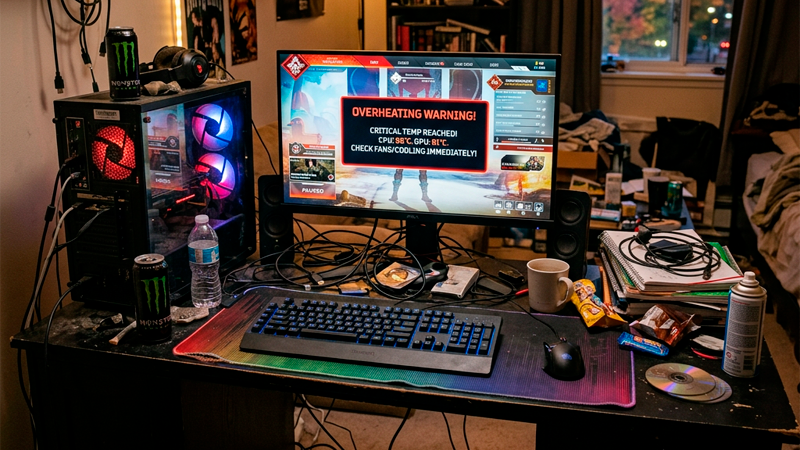
Budget gaming PCs frequently ship with weak airflow, low-quality thermal paste, small coolers, or minimal fan setups. During the first months, performance may feel acceptable. Over time, dust buildup and sustained heat exposure begin affecting stability.
The user notices:
- Random FPS drops
- Loud fan noise
- Stuttering during long sessions
- Crashes under heavy load
- High CPU temperatures
Then they start lowering graphics settings assuming the GPU became outdated.
Sometimes the hardware itself is simply overheating.
Thermal limitations can make decent hardware feel dramatically weaker than it actually is.
One overlooked detail involves room temperature. A gaming setup performing well during winter may suddenly struggle during hotter months if airflow was already borderline from the start.
That is why balanced cooling matters more than flashy RGB aesthetics for long-term ownership.
Used parts can save money or create disasters
The used PC market creates some incredible deals.
It also creates some expensive mistakes.
Buying secondhand graphics cards, processors, or motherboards can reduce costs dramatically when done carefully. Many experienced builders save hundreds this way. The risk appears when buyers chase prices that seem “too good to ignore.”
Some used components come from:
- Crypto mining rigs
- Overclocked systems
- Poorly ventilated environments
- Previous repair attempts
- Water damage exposure
A graphics card may function perfectly during a quick test while hiding long-term stability problems that appear weeks later.
That uncertainty becomes risky for buyers stretching limited budgets because replacing failed hardware often costs more than buying slightly better components initially.
The cheapest deal in the PC market is frequently the one that becomes expensive twice.
A surprisingly smart strategy involves buying fewer parts overall but choosing more balanced quality instead of maximizing raw benchmark numbers immediately.
Many gamers overspend on visuals and underspend on usability
This happens constantly with first-time setups.
Someone buys:
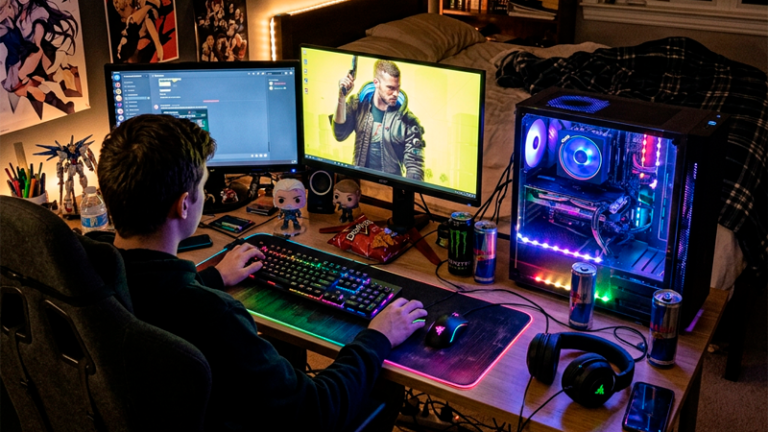
- RGB fans everywhere
- Glass side panels
- Fancy lighting strips
- Expensive gaming desks
- Decorative accessories
while still using:
- 8GB RAM
- Weak cooling
- A slow SSD
- A low refresh-rate monitor
The system looks impressive online but performs inconsistently during actual daily use.
A cleaner setup with fewer visual extras and better core hardware usually delivers a dramatically better long-term experience.
One insight many experienced builders eventually realize is that smooth performance feels more premium than flashy aesthetics after the excitement wears off.
Stable frame pacing, low temperatures, quiet operation, and fast loading times affect daily enjoyment far more than colorful lighting after the first few weeks.
Prebuilt systems are not automatically bad
A lot of online discussions exaggerate the idea that all prebuilts are terrible.
That is not accurate anymore.
Some modern prebuilt systems offer reasonable value, especially during sales or GPU shortages. The issue is understanding where manufacturers cut costs.
Many entry-level prebuilts reduce expenses through:
- Proprietary components
- Weak airflow
- Limited upgradeability
- Minimal cooling
- Cheap RAM configurations
Buyers focusing only on GPU model numbers often miss these compromises completely.
A balanced prebuilt with slightly weaker headline specs may actually age better than a flashy system optimized purely for marketing screenshots.
That becomes important because gaming PCs are rarely one-time purchases. They evolve slowly through upgrades, repairs, and changing game requirements over multiple years.
The smartest gaming setups usually feel slightly boring at first
A balanced gaming PC rarely creates the most exciting product page.
The smartest systems often prioritize:
- Reliable cooling
- Upgrade flexibility
- Strong power delivery
- Balanced hardware pairing
- Practical storage capacity
Those things sound less exciting than massive RGB setups or “ultra gaming beast” marketing language.
Still, they matter far more after two years of ownership.
A gaming PC that stays stable, quiet, upgradeable, and consistent over time usually delivers better value than a flashy setup that starts struggling after one hardware generation.
Most people regret weak foundations more than slightly lower graphics settings. Once the system starts fighting against future upgrades, saving money upfront stops feeling like a smart decision.