Budget Gaming Setups Often Become More Expensive After One Year
A lot of people trying to build a gaming setup on a budget focus almost entirely on the first price they see.
That makes sense at first. Someone has $600 or $800 available, compares parts quickly, watches a few benchmark videos, and tries to maximize performance immediately. The problem is that cheap gaming setups often become expensive in slow, frustrating ways that are not obvious during the buying phase.
A low-cost PC can absolutely work well. Some budget builds are excellent.
But there is a huge difference between a carefully balanced affordable setup and a machine filled with weak shortcuts that create upgrade problems later.
Many buyers only notice that difference after the first year.
The Cheapest Components Usually Create the First Problems
One of the most common mistakes happens when people spend almost the entire budget on the graphics card while cutting corners everywhere else.
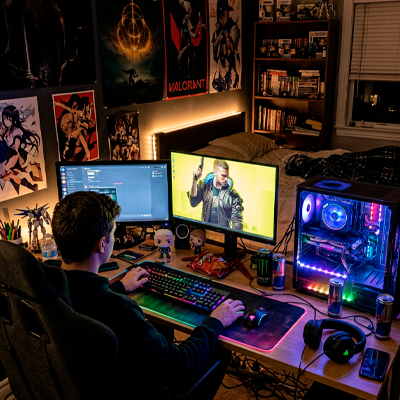
The result usually looks impressive on paper.
Good GPU. Weak power supply. Single-stick RAM. Tiny SSD. Poor airflow. Entry-level motherboard. Cheap case with almost no cooling.
At first, games still run.
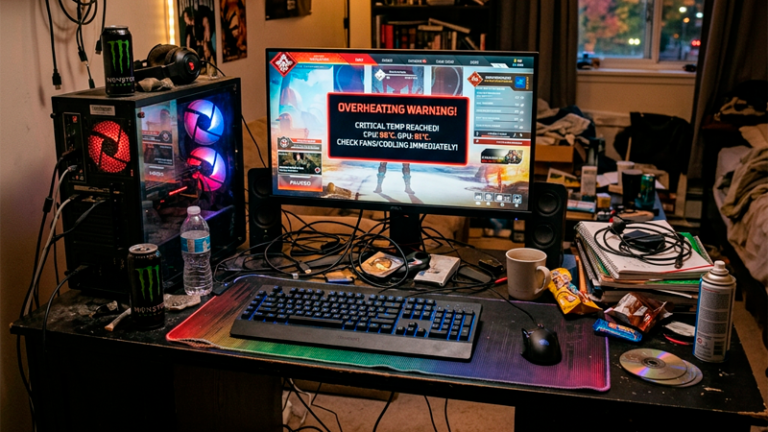
Then temperatures rise.
Then storage fills up.
Then Windows becomes sluggish because the system is running on a nearly full 240 GB SSD. After that, random crashes start appearing because the power supply struggles during gaming spikes.
A friend of mine built a “budget monster” PC for around $750 using an older high-performance GPU combined with the cheapest supporting parts he could find.
Within 14 months, he replaced:
- the power supply
- the case fans
- the SSD
- the CPU cooler
- half the RAM setup
He spent another $430 fixing problems that could have been avoided initially.
That happens constantly because many budget guides online optimize for benchmark screenshots rather than long-term ownership.
Used GPUs Can Be Great Or A Complete Disaster
The used graphics card market became extremely popular because modern GPUs are expensive.
Sometimes buying used is the smartest decision possible. Other times it becomes a repair nightmare disguised as a “deal.”
The risky part is not always gaming wear.
Mining usage matters, but poor maintenance matters even more.
A GPU that spent three years inside a clean, temperature-controlled system can easily outperform a newer card abused in terrible conditions. Dust buildup, dried thermal paste, unstable overclocking, and bad airflow quietly damage components over time.
One hidden issue many buyers ignore is VRAM temperature.
A graphics card may appear stable during a quick benchmark but still suffer memory overheating during longer gaming sessions. That is why some used GPUs crash only after 40 or 50 minutes of gameplay.
People testing cards for five minutes often miss this completely.
Before buying a used GPU, smart buyers usually check:
- hotspot temperatures
- fan noise consistency
- thermal throttling behavior
- warranty status
- signs of previous opening or repairs
A cheap used GPU that fails after six months is not a bargain anymore. It becomes an expensive delay before buying the card you should have purchased originally.
Storage Decisions Quietly Affect The Entire Experience
A lot of budget setups still prioritize GPU power while treating storage like an afterthought.
That creates one of the most annoying modern gaming experiences possible.
Large games now regularly exceed:
- 100 GB
- 150 GB
- sometimes over 200 GB
A tiny SSD forces constant uninstalling, updates become frustrating, and loading performance suffers once drives become heavily occupied.
What surprises many people is how much storage speed affects overall system feel. It is not only about game loading times anymore.
Fast storage changes boot speed, multitasking, downloads, file transfers, shader compilation, and general responsiveness.
Someone upgrading from an old SATA drive to a good NVMe SSD often notices the system feels “new” again even without changing the GPU.
One smart compromise is buying a slightly weaker GPU while investing in:
- a reliable 1 TB NVMe SSD
- decent airflow
- dual-channel RAM
- a quality power supply
That setup usually ages much better than a machine designed purely for maximum FPS on day one.
Monitors Are Where Many Cheap Setups Fall Apart
People obsess over graphics cards and then connect them to terrible displays.
This happens constantly.
A strong PC paired with a poor monitor still creates a weak gaming experience. Low brightness, bad motion handling, poor color calibration, ghosting, and weak contrast ruin visual quality faster than many people realize.
A cheap 144 Hz monitor sounds attractive until users discover:
- terrible black smearing
- unstable adaptive sync
- washed-out colors
- poor viewing angles
- inconsistent response times
One of the least obvious tech mistakes is buying hardware that outperforms the display itself.
A system pushing 180 FPS into a weak panel often looks worse than a balanced setup running smoother on a higher-quality screen.
That is why experienced PC builders increasingly treat monitors as long-term investments instead of temporary accessories.
A good monitor can survive multiple PC upgrades. A bad monitor damages every upgrade connected to it.
RGB And “Gaming” Branding Inflate Budgets Fast
A surprising amount of money disappears into aesthetics.
RGB fans. RGB RAM. RGB cables. Tempered glass panels. “Gaming” branded accessories with inflated pricing.
None of those things are inherently bad. Some setups genuinely look incredible.
The problem appears when aesthetics start replacing performance priorities.
Someone building a budget setup with:
- $140 case
- $90 RGB fans
- premium gaming keyboard
- expensive desk accessories
may end up sacrificing storage, cooling quality, or PSU reliability without realizing it.
Manufacturers understand something important about beginner buyers.
Visual upgrades create emotional excitement faster than technical upgrades.
A cleaner airflow configuration or higher-quality motherboard is harder to market than glowing RGB lighting.
That is why many flashy budget builds online actually perform worse long term than simpler systems built around stability and upgrade flexibility.
Upgrading Slowly Usually Beats Rebuilding Completely
A lot of people make buying decisions as if the setup must be perfect immediately.
That mindset creates bad compromises.
Strong long-term gaming setups are often built in stages.
Someone buying:
- reliable motherboard
- quality PSU
- decent cooling
- solid storage
can safely upgrade GPU and CPU later without rebuilding everything from scratch.
That flexibility matters financially.
Replacing one component is manageable. Replacing an entire unstable system becomes exhausting and expensive.
One practical example appears constantly in budget gaming communities. A person buys an ultra-cheap power supply to save $40 initially. Two years later, they upgrade the GPU and suddenly the entire PSU becomes unsafe or incompatible.
Now the “cheap” decision created:
- replacement costs
- installation time
- upgrade delays
- extra cable management
- additional troubleshooting
Small shortcuts multiply over time.
That is why many experienced builders care less about the absolute cheapest price and more about avoiding expensive rebuild chains later.
Because once cheap parts start failing together, people usually spend far more money fixing the setup than they would have spent building it properly from the beginning.